Server Protection
Protect your community from unwanted changes!
Introduction
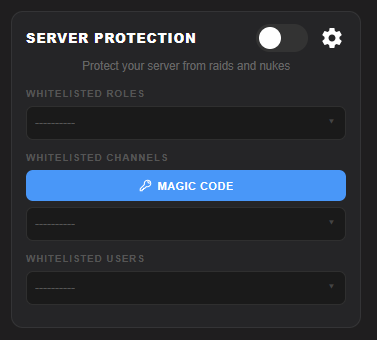
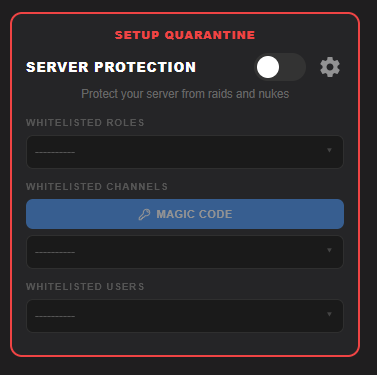
Server Protection is Exorion's guard against unauthorized changes made to your server's identity and settings. When enabled, it watches for modifications to your server name, icon, banner, and vanity URL — and takes action when those changes happen without your approval.
Unlike anti-raid or anti-nuke systems, Server Protection focuses specifically on server-level identity changes. These are the kinds of modifications a compromised admin or a malicious insider might make to rebrand or vandalize your community.
What it Detects
Server Protection monitors for the following unauthorized changes to your server:
Triggers when someone changes your server name without going through approved channels.
Detects when the server icon or banner is replaced unexpectedly.
Monitors your server's vanity URL and alerts or acts when it is changed or removed.
Settings
Open the Server Protection settings by clicking the cog icon on the Server Protection module card in your dashboard.
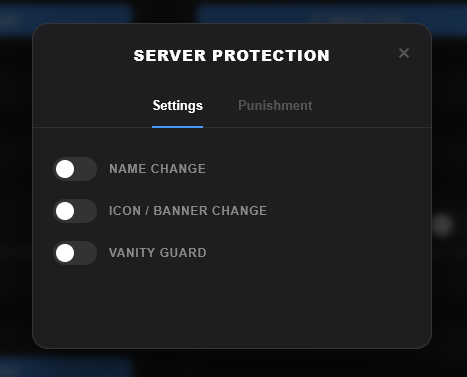
Name Change
This security feature offers live monitoring of unauthorized server name changes. When triggered, the configured punishment action is applied to the account that made the change.
Icon / Banner Change
Live Monitors changes to both the server icon and server banner. If an unauthorized change is detected, Exorion will revert the server icon/banner to the previous state from a backup and apply the configured punishment to the responsible user.
Vanity Guard
Protects your server's precious vanity URL from being sniped. If someone with permissions modifies or removes your vanity, Exorion detects it to respond according to your punishment settings and restores your custom invite code before you can react.
Punishments
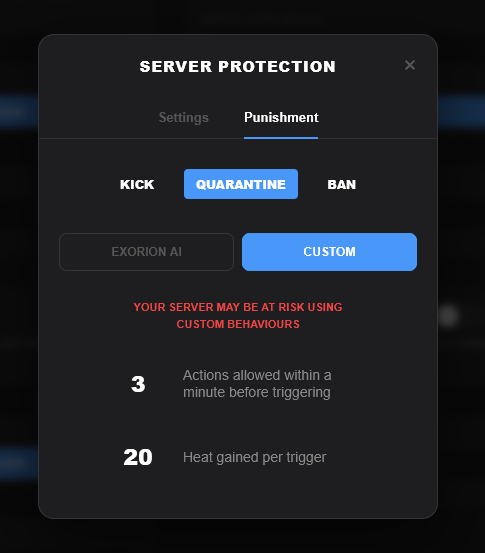
After configuring which features to monitor, switch to the Punishments tab inside the settings modal to configure what action Exorion takes when a detection fires.
| Punishments | Description |
|---|---|
| Kick | After triggering the allowed actions within a minute, Exorion will kick the user from the server. They can rejoin again with a new invite. |
| Quarantine (Recommended) | Quarantine mode creates a private channel specifically for the user when the allowed actions within a minute threshold is triggered, and clears all of their roles for containment and review. |
| Ban | After the allowed actions within a minute threshold is triggered, the user will be banned from the server. |
To save your settings, click Save Changes in the unsaved changes bar that appears at the bottom of your dashboard after making modifications.
